Installing the EaseAccess plugin follows the standard WordPress plugin installation process.
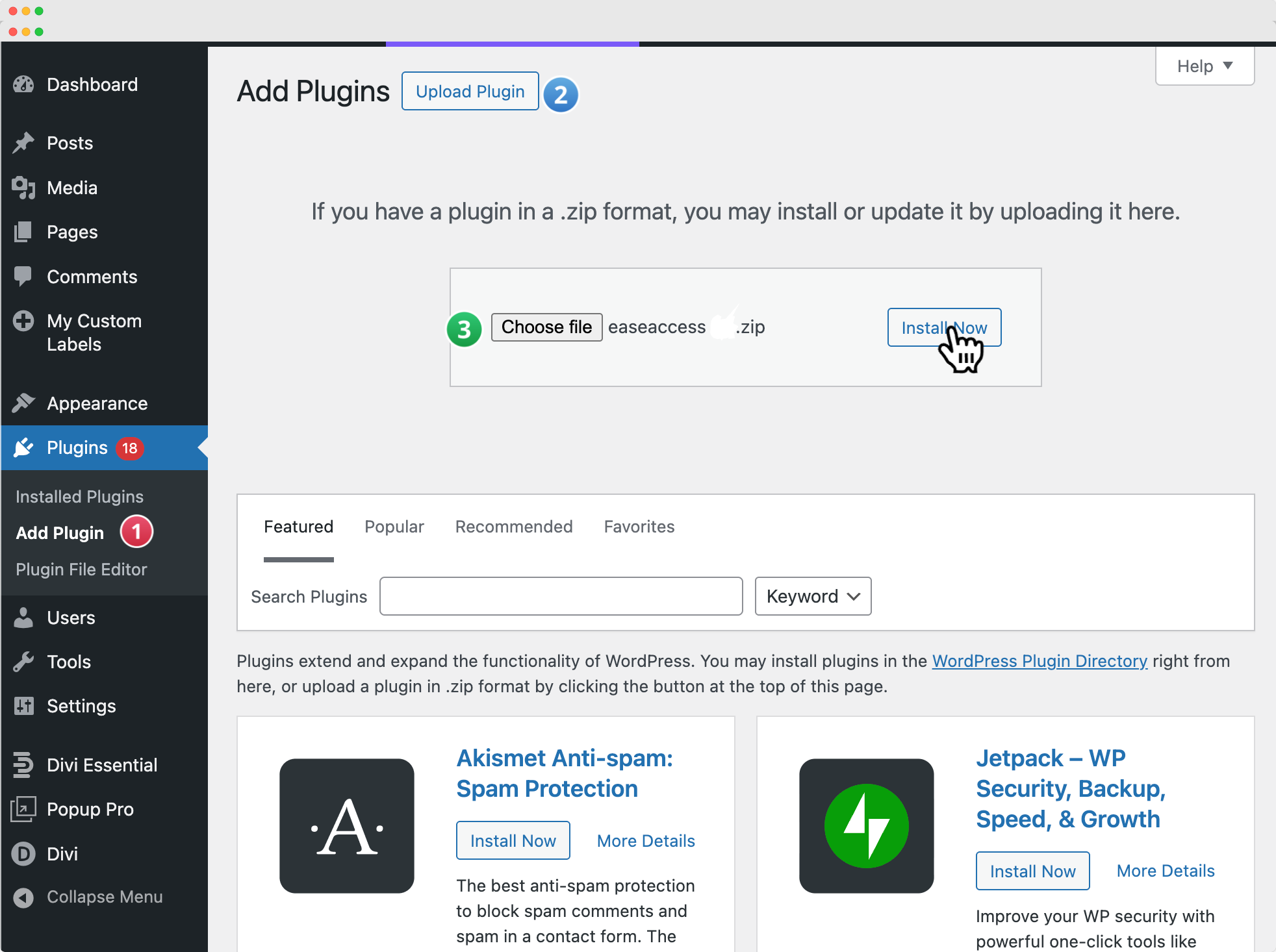
- In your WordPress Dashboard, navigate to Plugins → Add New.
- Click on the Upload Plugin button at the top of the page.
- Select and upload the EaseAccess plugin .zip file from your computer.
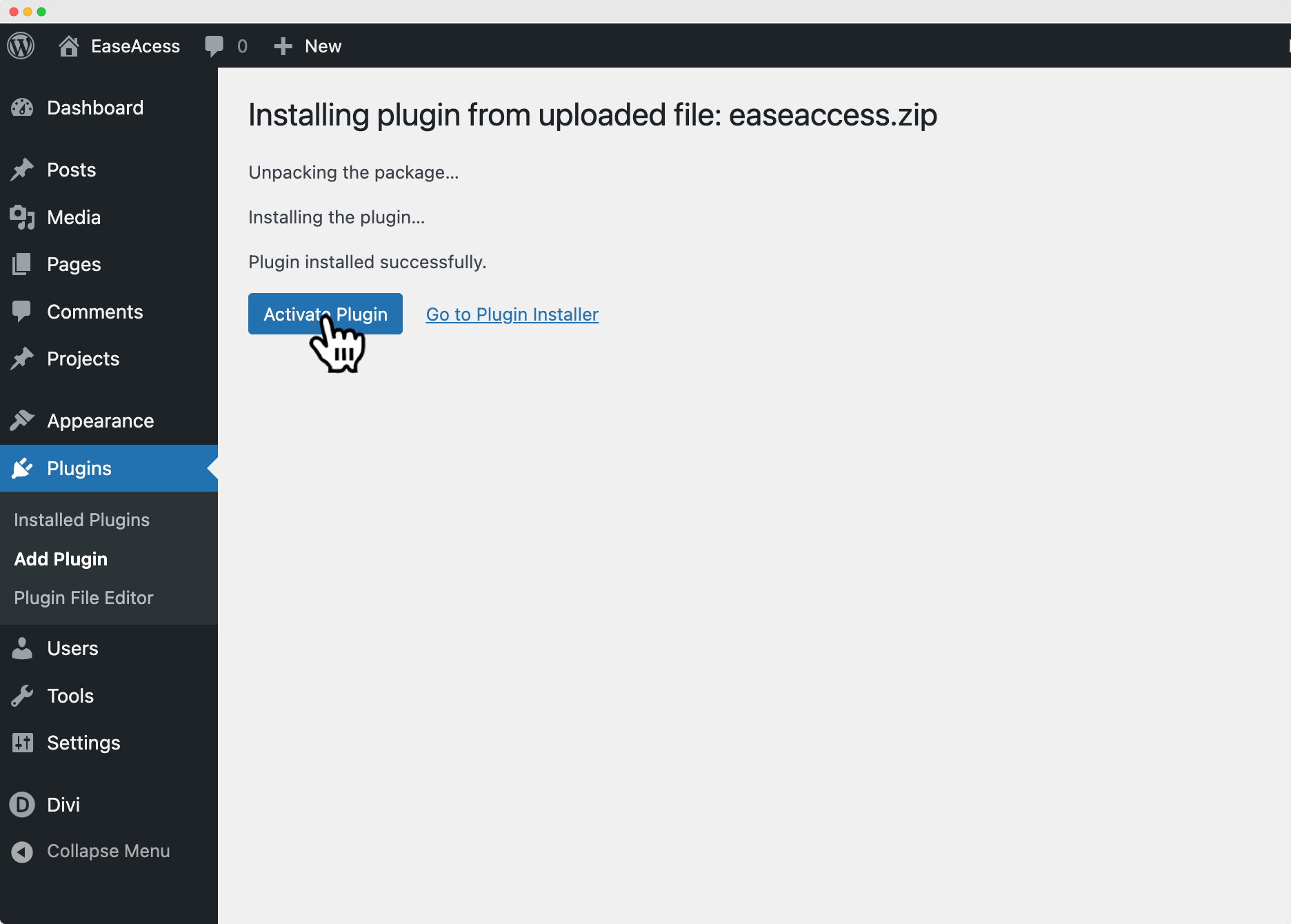
- Once the installation is complete, click Activate Plugin to enable it on your site.
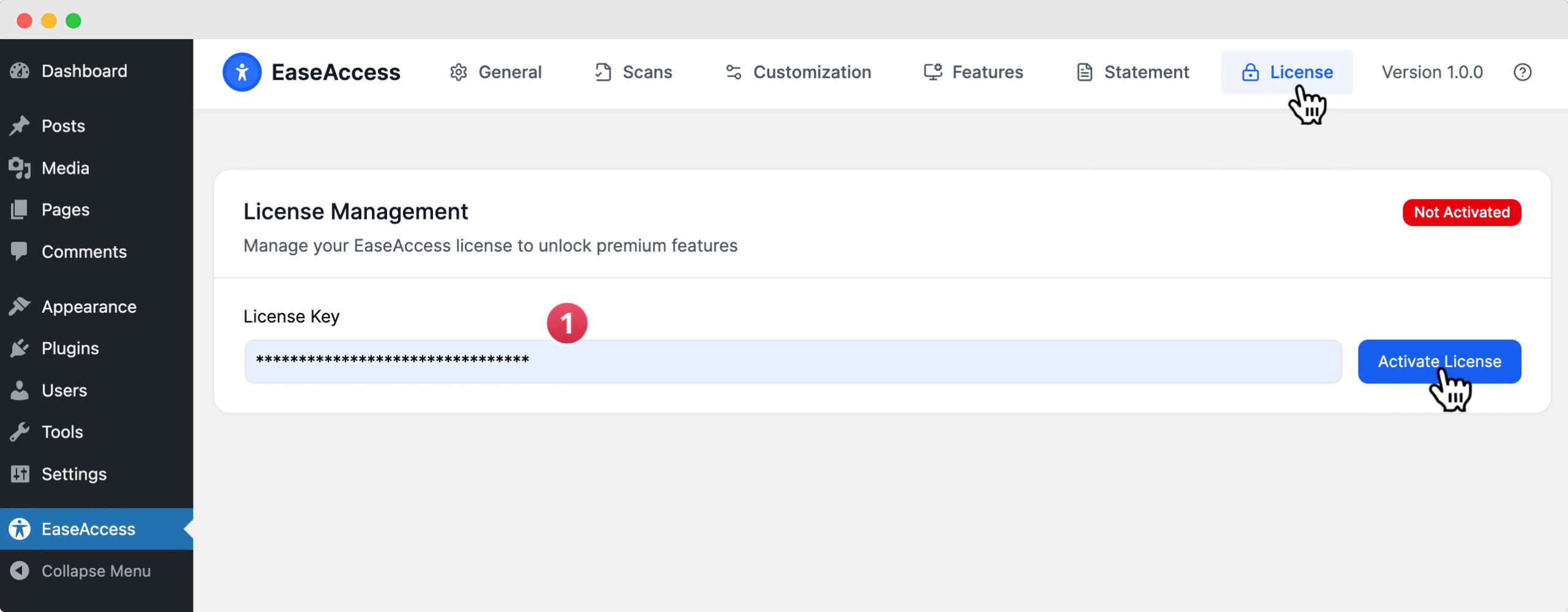
Before getting started, you must activate your EaseAccess License Key. You can do this directly by navigating to EaseAccess → License in the tab menu.